- Home >
- FAQ >
- Online booking tutorial
Follow our step-by-step guide below for easy, hassle-free information on any of our serviced apartments
You can check online to see if an apartment is available for the dates of your choice, find the exact price for that period, and even make and complete the booking if you choose to stay.
You can do all of this without obligation, and it's 100% accurate.
It's all so simple - here's how you do it:
|
|
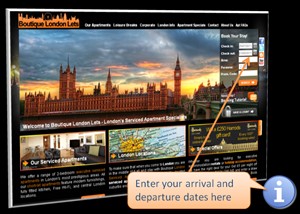
Enter dates of stay
Use the orange 'book bar' to enter your preferred dates of stay to get started - then press 'search'. You can change the dates later on if you want.
This orange booking bar can be found at the top of every screen.
There is no commitment with using this booking bar - it doesn't mean you have to book. It can just be used as a great way of instantly finding accurate prices and availability.
|
|
|
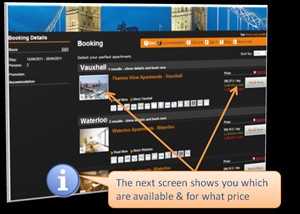
Available apartments and their prices
Congratulations!
You have just completed the first and main step.
This next screen shows you which apartments are available - and the prices for these apartments - for the dates you have chosen.
The price for these dates including any specials is listed to the right of the screen.
You can see more details about each property by pressing 'read more'.
If you wish to go further, choose a property and press the 'book now' button.
|
|
|
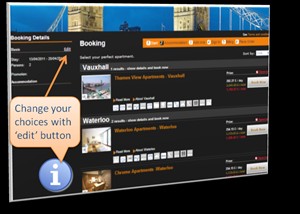
Make changes at any time
You can make changes to any of your choices at any time using the 'edit' button in the 'Booking Details' column.
This 'Booking Details' column shows you a summary of your choices so far.
|
|
|
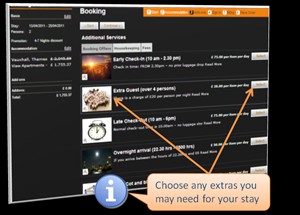
Choosing any extra services or requirements
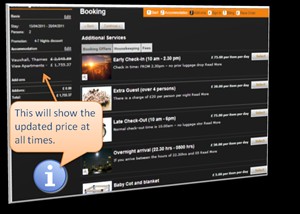
On the next screen you can choose to add any further services such as extra cleans or early check-in.
These services will then be added to your total price.
Then press 'continue'.
|
|
|
Summary of your stay
The current total price is displayed in the left 'Booking Details' column.
You can edit any details including dates at any time.
|
|
|
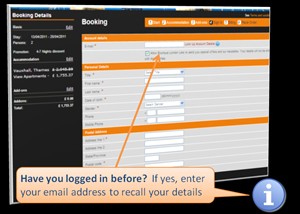
Have you logged in before?
If you have previously logged into our website or have started the booking process before, then we would already have your details. If so, enter your email address to recall your details.
|
|
|
Proceeding with the booking
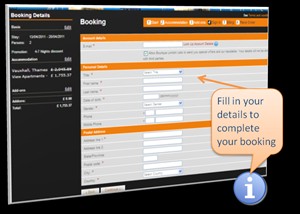
If you decide you'd like to stay, the next couple of screens will take you through the booking process, and take the necessary details.
If you haven't created an account with us already, simply fill in your details here - it will only take a couple of minutes.
|
|
|
Confirmation of booking
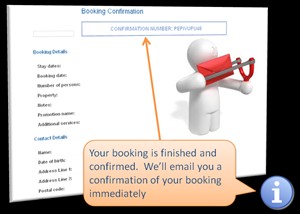
Well done, you've finished.
Once you have completed the booking you will be sent a confirmation email immediately.
Then you'll be contacted by one of our friendly booking staff shortly after with further details of your stay and payment.
|
|
|
It's that simple!
Whether you want to complete a booking, or just check prices, our website will give you the latest prices, dates and information. Give it a go.
> Back to top
> Go to home page




 Download the BLL brochure
 Use the contact form
 Skype us now
 Send us an email



.png&width=120)